

Using the Kortext App
This step-by-step guide will help you to install and use the Kortext App. This free software is required to download ebooks from the Kortext website.
Install the Kortext app
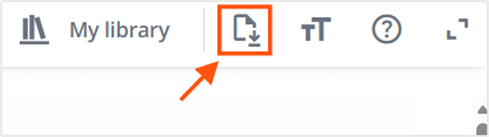
1. To download an ebook from the Kortext platform look for the Download button and select it.
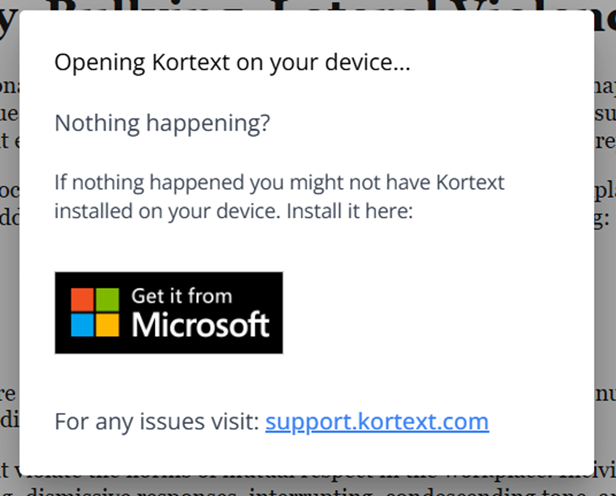
3. You will be prompted to download the Kortext App for a Microsoft or Apple device.
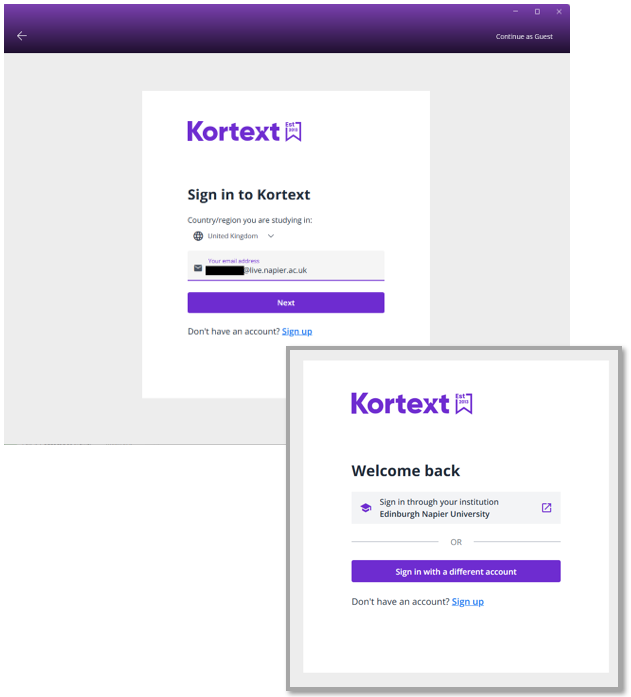
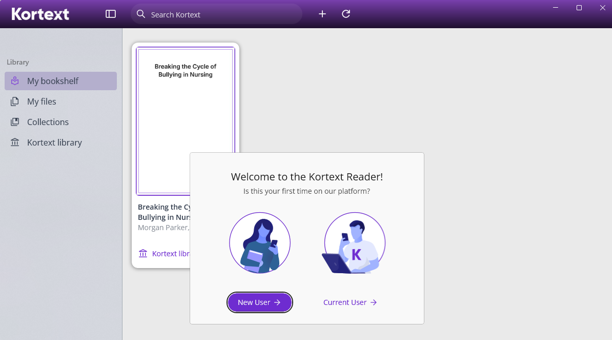
4. Once the app is installed, you will be prompted to sign in to your Kortext account. Use your ENU email, select ‘Next’, and then ‘Sign in through your institution’.
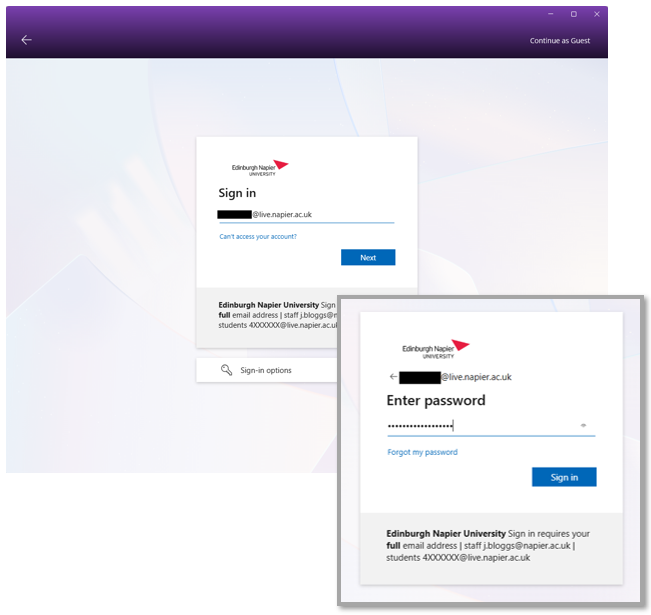
5. You may also be asked to sign in using your ENU credentials. Enter your ENU email address and password so the app can authenticate you as an ENU student.
6. Once you have signed in and been authenticated, you can start using the Kortext App to download ebooks and read them offline. When you access Kortext ebooks through the LibrarySearch or your reading lists and open them in a web browser, they will automatically be added to your bookshelf. You will then be able to find them in the app.

Need some help?
Please contact the Library if you have any problems or would like further assistance.